

1win Bet Login Nigeria: Guide on How to Access Your Account
Completing the 1Win Bet Login process in Nigeria is straightforward for all gamers, whether one is using a desktop computer or smartphone. To give you practical instructions rather than just theoretical steps, I accessed the platform, downloaded the Android App, created a gaming account, and logged in to place my wagers.
To put this into context, this article details website login steps, mobile access, login credentials, common access problems, and password recovery. Additionally, it covers key personal account functions, security features, and my final assessment after testing the platform.
My 1Win Bet Login Test
To evaluate the 1Win bet login process, I used a Samsung Galaxy S22+ running on Android 14 Operating System. My hands-on testing stretched across the desktop site, mobile browser, and native Android app after creating a new gaming account.
1Win Nigeria displayed two primary login methods: by Phone or Email. The process was seamless, taking just two actions which involved entering my credentials and tapping the LOG IN button to access my account with no extra verification steps requested.
What I Tested | Device/Interface | What Happened | My Assessment |
|---|---|---|---|
Website Login | Desktop Chrome Web Browser | Instant account access via phone number or email | Easy |
Mobile Browser Login | Samsung Galaxy S22+ Chrome Web Browser | Responsive layout with clear "Login" button | Easy |
App Login | Android App | Launched app, entered details, and enabled biometric login | Easy |
Password Recovery | Android App | Used the "Forgot Password" link to reset my credentials via phone number; OTP code arrived within 30 seconds | Easy |
Account Dashboard | Samsung Galaxy S22+ Chrome Web Browser | All the account key features are well-organized | Easy |
How I Completed the 1Win Bet Login
After creating my gaming account with 1Win Nigeria, I logged out and signed in immediately as an existing player using both the desktop website and mobile app. This helped me to test how quickly and smoothly I could access my account.
Log In on the 1Win Website
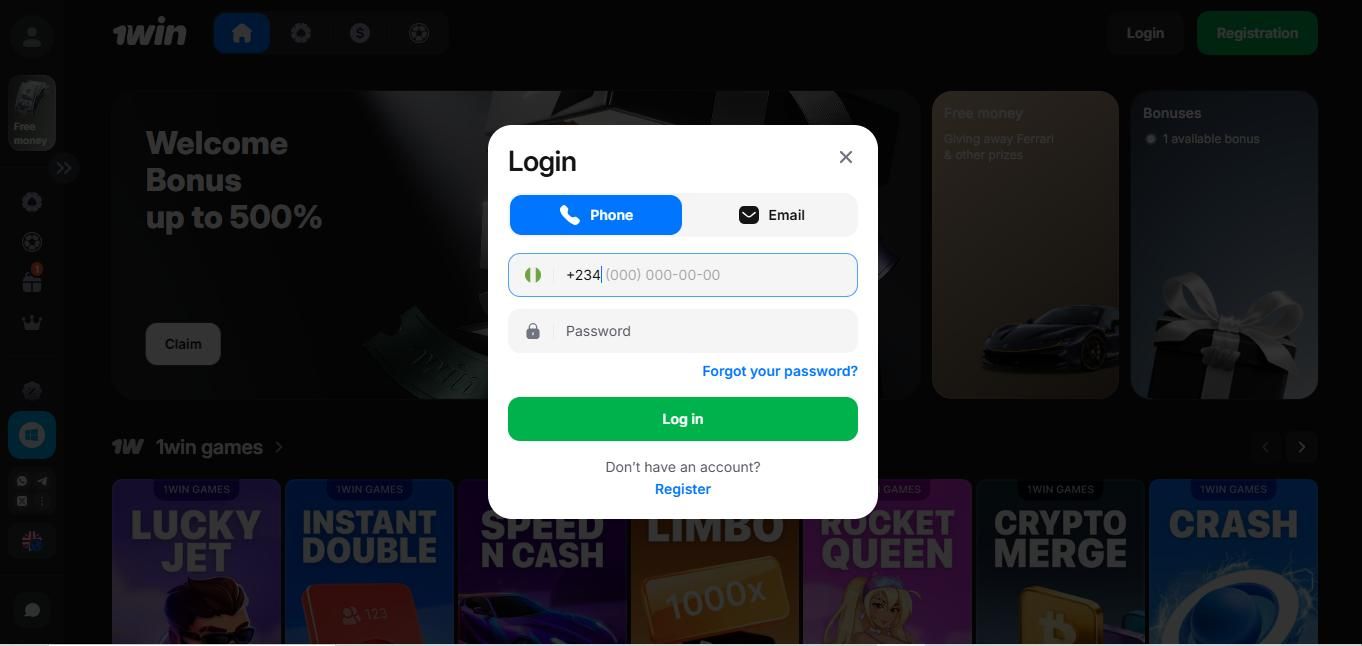
This is the sequence I followed when logging in through the 1Win website on my desktop computer:
I visited the official 1Win Nigeria website via the Google Chrome web browser;
Located the Login button which is visible in the top-right corner of the homepage;
Tapped on the button and opened the sign-in form;
The page displayed account access by Phone or Email;
Chose login by phone and entered my registered phone number and password;
Clicked on the "Log in" button at the bottom of the page to submit my credentials;
My account opened after login details authentication.
1Win Mobile Login Experience
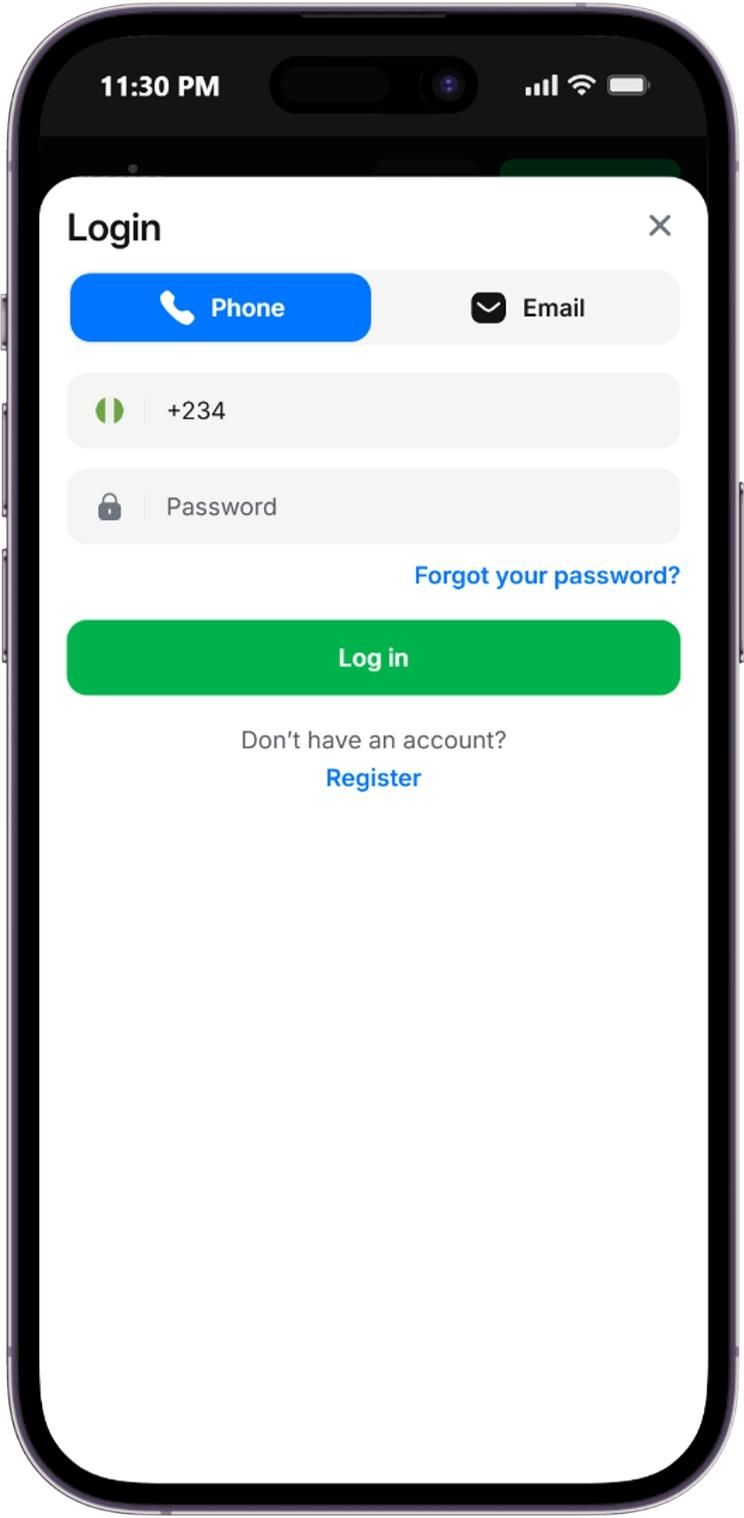
When I repeated the login test on my mobile by following these simple steps:
I visited the official 1Win Nigeria website via a Chrome web browser;
Located the Login button;
Opened the sign-in form which displayed account access by Phone or Email;
Chose login by Email and keyed in my credentials;
Clicked on the "Log in" button to submit and access my account;
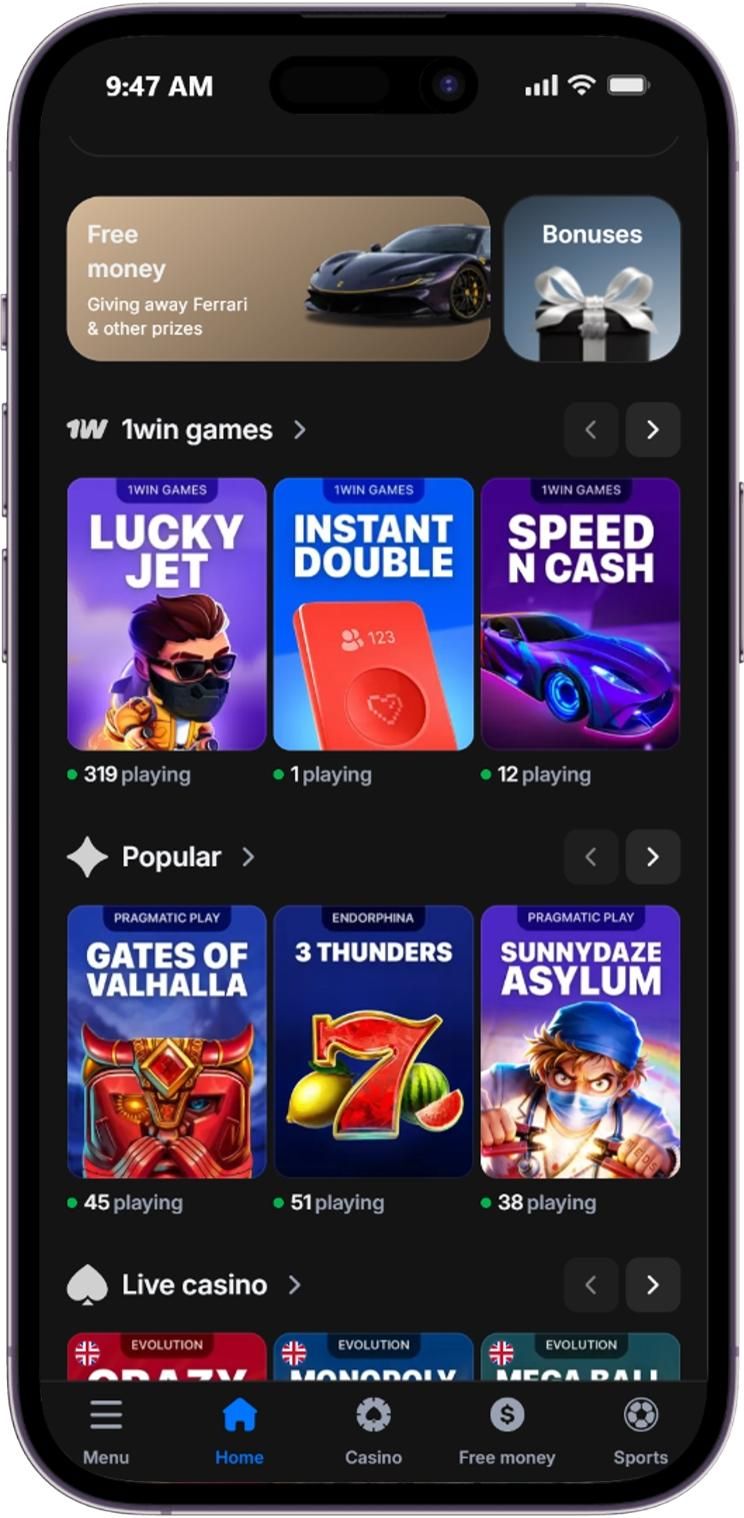
When using the Android app, I entered the same login details and instantly gained access into my account without any extra confirmation steps. I then enabled biometric (fingerprint) login feature in My Account settings for subsequent sessions which made the process more convenient as compared to using the other two platforms.
Which Login Details I Could Use
During my test, the login form offered the following ways to access my account:
By Phone: This is the primary login method. It involved entering my Nigerian phone number and password;
By Email: This is an alternative sign-in option. It allowed me to login using an email address linked to my account profile;
Password: Alphanumeric security passphrase I set up during my account creation, required for both phone and email login methods.
What I Found in My 1Win Account
After successfully logging in, I gained full access to my account dashboard and on opening my user profile, I was able to check my account verification status, personal information, bet history with all the open and already settled wager tickets and account balance was displayed in Nigerian Naira (NGN) alongside all the other transaction information in the cashier window.
1Win Password Recovery Process
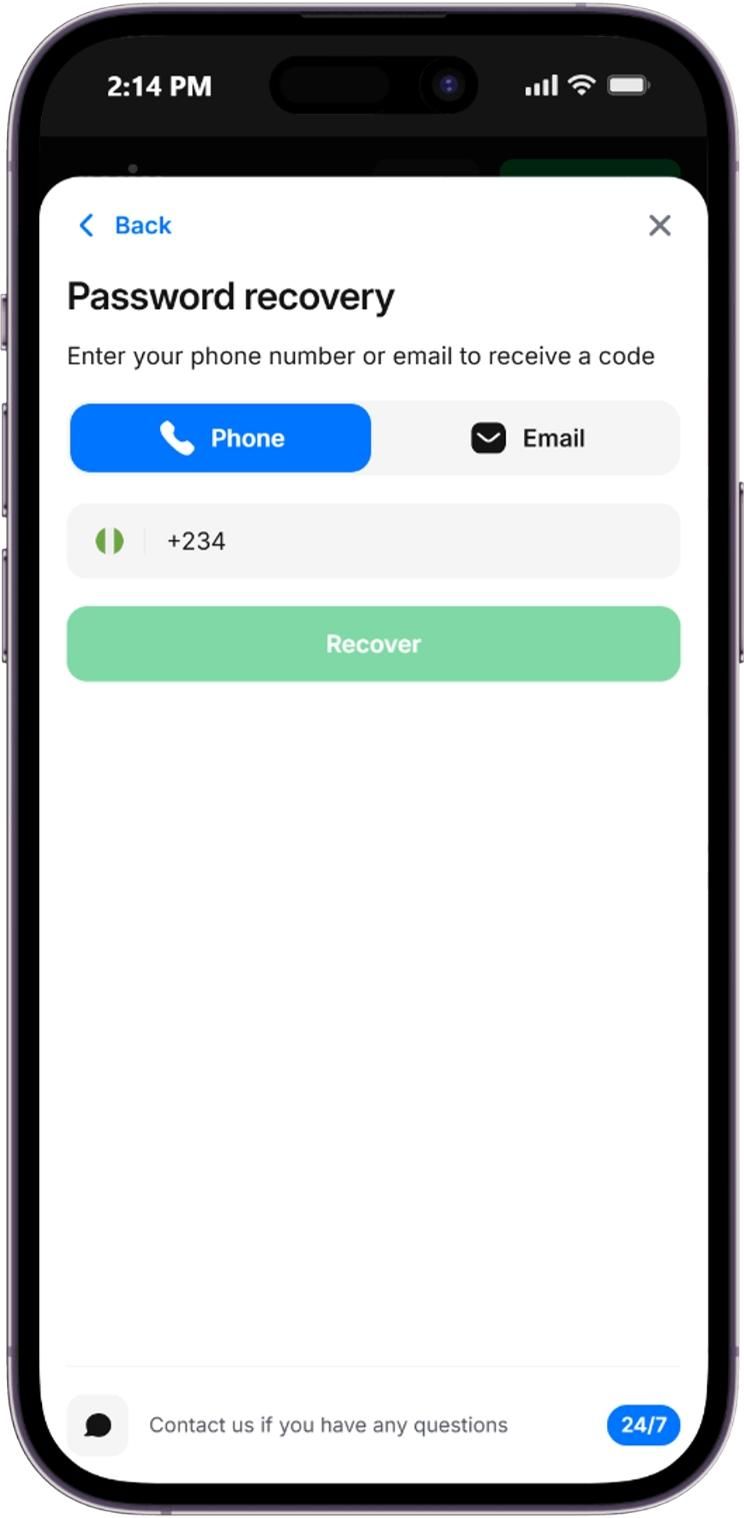
I also tested what I would need to do if I could not remember my login password. Here is what I found:
I located the "Forgot password?" reset feature;
The bookmaker provides two options;
By Phone or Email;
Selected reset by phone and entered my registered phone number and clicked the Recover button;
Received a verification code via SMS;
Set a new password and submitted;
Logged into my account once again;
The reset link was very easy to find since it was clearly marked on the login page. The instructions were clear, and once I entered my phone number the OTP code was sent immediately.
1Win Login Problems I Checked
I did not encounter any login error during my test, however in this section, my goal here is to highlight the problems and give other Nigerian punters troubleshooting options when common sign-in issues arise during their interaction with 1Win.
Login Problem | What I Checked | Practical Solution |
|---|---|---|
Incorrect password | Entered wrong characters, keyed in invalid details | Enter the correct details or click “Forgot Password?” to restore access |
Recovery message issue | If the message was sent via SMS | Wait for some time and if the OTP code is not sent, request resend via email |
Account restriction | Possible account suspension reasons | Contact customer support |
Website login error | Session timeout | Clear browser cache or reload page |
Mobile app login error | App version and my internet connection | Always connect to a stable internet or download the latest Android app version |
Incorrect Email, Phone Number, or Password
When trying to log into my account, entering an incorrect email, phone Number, or password immediately triggered an error message "Invalid data. Please try again or click “Forgot Password?” to restore access."
And when inputting phone numbers, omitting the Nigeria country code (+234) or leaving accidental spaces before the digits resulted in a login error.
Password Recovery Message Does Not Arrive
When trying to reset my blocked account password, I received the recovery OTP code instantly in my SMS account. However, some players may experience delays or they may not receive the password recovery message. To solve this, make sure that you enter the correct phone number or email address linked to your account. Alternatively, check your spam folder, if you are using an email to recover the password.
Account Access is Restricted
When signing into your gaming account is restricted due to repeated failed login attempts, 1Win will notify you and give reason for the block. If the restriction was as a result of entering incorrect credentials, using the "Forgot password?" option will help you to restore full access via phone or email address.
However, If the manual recovery option does not resolve the problem, you can contact 1Win customer support via live chat or email.
Website or App Login Error
If I experience any sign-in problems which makes the login page does not work properly, I would perform the following to fix the issues:
Reload the login page;
Refresh the browser;
Clear cache and cookies;
Try another browser for example change from Chrome to Firefox;
Switch from using mobile data to more stable Wi-Fi internet connection;
Restart the mobile app;
How Secure Did the 1Win Login Feel
Just like the whole bookmaker, the 1Win login process portrayed security features across the desktop site and mobile platforms. It uses an encrypted HTTPS connection with a SSL (Secure Sockets Layer) certificate technology to protect login credentials.
The password field hid characters and the Android app provided a biometric login option which prevents unauthorized manual access to the account. Additionally, multiple failed login attempts prompted a temporary account lock. To regain access to the account, I had to use the Forgot Password option to reset my details.
And based on my experience with the 1Win Bet Login Nigeria, I would like to recommend the following precautions to keep your betting account safe:
Only use the official 1Win website to register and log into your account;
Create a unique password during sign up;
Never share the OTP verification codes;
Avoid saving your login credentials on public or shared devices;
Log out on shared devices;
Contact 1Win customer support for assistance if you suspect account breach;
My Expert Verdict After Testing 1Win Bet Login
After completing the full login test, my impression is that 1Win offers a straightforward login process across both desktop and mobile platforms.
The login process was simple and easy to follow, with no hidden steps or obstacles to navigate. The desktop login was completed in less than 2 seconds, and the mobile app's biometric login option made it almost instant to log back in. The password recovery link was easy to find and the personal dashboard to view balances or open tickets was easy to use.
Moreover, the cross-platform login credentials synchronization is a big highlight for the 1Win Bet Login Nigeria. Overall, I consider the 1Win login experience convenient and secure for all the Nigerian bettors.
Pros and Cons of the 1Win Bet Login
Honest analysis to help you make an informed decision
Pros
- Clear login button
- Biometric login option
- Fast login process
- Cross platform login credentials sync
- Simple account recovery process
Cons
- Session timeouts on desktop and mobile browser accounts
- No direct profile account closure
- No phone contact
Frequently Asked Questions
Yes. 1Win allows concurrent sessions across multiple devices, such as desktop and mobile. However, the bookmaker only allows creation of one account per player, family, address, shared computer, shared IP address, and any other duplicate accounts will be closed.
Should you wish to permanently close your account, use the available form for self-exclusion that is available in the account settings or contact the 1Win customer support via email to submit a formal account termination request. Note that once the self-exclusion request is approved, you will not be available to reopen your account, to play or make bets or to deposit any money earlier than 6 months.
Yes. After logging in manually with your password for the first time, you can enable the biometric login option in the app settings for quicker future logins.
Due to legal reasons 1Win does not accept any punters from any countries other than the Federative Republic of Nigeria. Any persons outside the country are not permitted to register, or place bets on the site and using VPNs or proxies to mask their access will lead to the account being blocked. However, if this is not the case, contact 1Win customer support via live chat or email for assistance on all the login related issues.